 blog
blog
Building Management System Support Services: A 2026 Guide
Table of Contents
- What Building Management System Support Services Include
- 24/7 Helpdesk and Emergency Response
- Building Management System Maintenance: Planned and Reactive
- BMS Optimisation and System Performance
- BMS Remote Access and Secure Monitoring
- Understanding Building Management System Cost and Value
- How to Select and Onboard a Support Provider
- Frequently Asked Questions
Last Updated: October 5, 2026
What Building Management System Support Services Include
A building management system support service keeps your building's automated controls running smoothly, efficiently, and securely. It covers routine maintenance, emergency repairs, remote monitoring, and ongoing optimisation of your HVAC (heating, ventilation and air conditioning) systems.
The best support services combine three elements: preventative maintenance, responsive technical help, and continuous performance tuning to cut energy waste and improve occupant comfort.
Most facility managers assume support means fixing things when they break. Modern building management system support anticipates failures, monitors system health 24/7, and adjusts controls to match actual building usage, the shift from reactive to proactive separates adequate support from excellent support.
The scope typically includes fault diagnosis, planned maintenance scheduling, reactive emergency repairs, performance analysis, remote troubleshooting, and integration across multiple trades, electrical, plumbing, HVAC and renewable energy, as one coordinated platform rather than isolated contractors.
24/7 Helpdesk and Emergency Response
Round-the-clock support is non-negotiable for mission-critical building systems. A 24-hour helpline with qualified engineers means your facility never operates without expert guidance, whether an issue emerges at 3 a.m. on a Sunday or during peak hours.
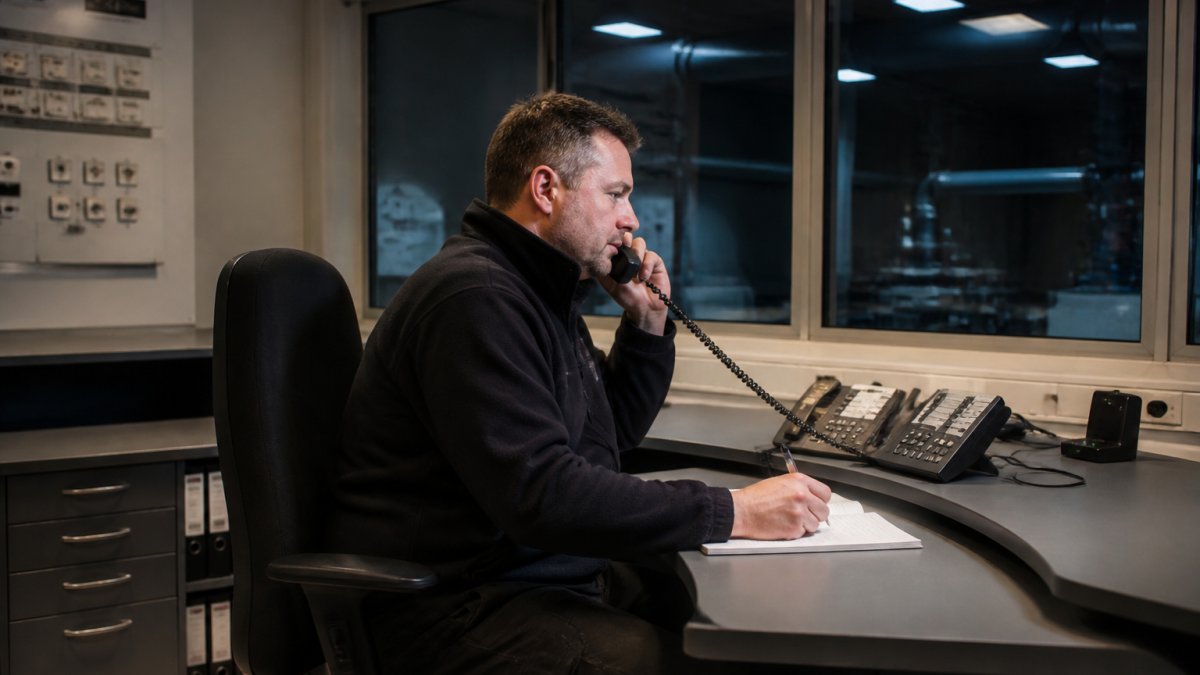
Emergency response protocols differ by severity. A minor sensor malfunction might be resolved remotely within minutes; a complete HVAC failure requires on-site attendance within hours. SLA response times typically range from 1-4 hours depending on contract tier and fault criticality.
Many facility managers underestimate downtime costs.
The best helpdesks combine automated fault detection with human judgment. Your building management system can flag a problem at 2 a.m., but an experienced engineer must decide whether to dispatch someone now or wait until morning.
Building Management System Maintenance: Planned and Reactive
Maintenance falls into two categories: planned maintenance on a schedule, and reactive maintenance triggered by faults. Both are essential, but their balance determines whether your building runs smoothly or stumbles from crisis to crisis.
Planned maintenance includes inspections, sensor calibration, software updates, filter changes, and preventative component replacement. A typical schedule involves quarterly inspections, annual deep servicing, and five-yearly overhauls, predictable cost and minimal disruption because work happens in planned windows.
Reactive maintenance is what happens when something breaks unexpectedly, a valve fails, a sensor drifts, or a control module faults. Without planned maintenance, reactive calls multiply and costs spiral; with it, they become rare exceptions.
The ratio matters. Facilities with strong planned maintenance programmes typically see 80% planned and 20% reactive work. Facilities without preventative schedules often flip to 20% planned and 80% reactive, far more expensive and disruptive.
Building management system maintenance also includes optimisation: adjusting control logic to match occupancy patterns, fine-tuning setpoints to balance comfort with energy use, and recalibrating drifting sensors. This is where energy savings hide, a poorly tuned system can waste 15-20% of energy on unnecessary heating or cooling.
BMS Optimisation and System Performance
System optimisation is where a well-designed building management system delivers measurable value beyond keeping things running, the difference between a system that works and one that works brilliantly.
Optimisation starts with data. Your BMS collects thousands of daily data points, temperatures, humidity, occupancy, energy consumption, equipment runtime, yet most facility managers see only a fraction and miss patterns. Professional BMS optimisation uses this data to identify waste and opportunity.
Common opportunities include adjusting setpoints based on actual occupancy (many buildings heat or cool empty zones), reducing runtime during low demand, improving control responsiveness to prevent overshoot, and synchronising systems to avoid conflicts.
Building performance also includes resilience: redundancy so a single component failure doesn't cascade into a building-wide outage. A resilient system might use dual sensors with voting logic, backup control modules, and graceful degradation modes that keep essential functions running when non-critical systems fail.
Remote monitoring enables continuous performance tracking. Rather than waiting for quarterly inspections, your support provider monitors system behaviour in real time, spots anomalies early, and alerts you before minor issues become major failures. This is proactive building management system support in action.
BMS Remote Access and Secure Monitoring
Remote access to your building management system lets engineers diagnose problems, adjust settings, and monitor performance without being on site, transforming support from a reactive, site-visit-dependent model to proactive, real-time oversight.
Secure remote access is the critical qualifier. Your BMS controls critical infrastructure and may hold sensitive occupancy, energy and configuration data, so unsecured access is a vulnerability. Professional providers use encrypted connections, multi-factor authentication, audit logging, and role-based access control to keep sessions secure and traceable.
Best practice is vendor-neutral remote access across multiple platforms and manufacturers. If your facility has Siemens controls in one wing and Johnson Controls in another, your provider should access both seamlessly without separate logins or tools.
Remote monitoring feeds a continuous feedback loop: the system detects a fault, alerts the support team, they investigate remotely, then either fix it remotely or dispatch an engineer with full diagnostic context already gathered, reducing troubleshooting time and improving first-visit resolution rates.
Understanding Building Management System Cost and Value
Pricing for building management system support is rarely published, making it one of procurement's hardest parts. Rather than chasing a headline figure, understand the pricing models, cost drivers and contract mechanics behind most UK support agreements.
The main pricing models
- Fixed annual contract (all-inclusive). A single annual fee covering helpdesk access, a set number of planned maintenance visits, remote monitoring and a defined allowance of reactive call-outs. Predictable budgeting, but you need to check the visit allowance and what happens when you exceed it.
- Base fee plus schedule of rates. A lower annual base fee for helpdesk and monitoring, with reactive visits, parts and out-of-hours attendance charged against an agreed rate card. Cheaper if your system is stable; more expensive if faults are frequent.
- Per-visit or per-day-rate. Common for smaller sites or where the client wants maximum flexibility. No commitment, but no guaranteed response priority either.
- Managed service with performance element. A fixed fee with a portion linked to agreed KPIs such as energy reduction, uptime or first-time-fix rates. Growing in popularity but requires robust metering and reporting to work fairly.
What drives the cost
- Number and type of sites. A single office is priced very differently from a multi-site portfolio with mixed plant.
- System age and openness. Open-protocol systems (BACnet, Modbus, KNX) are generally cheaper to support than proprietary or obsolete platforms where spares and licences are scarce.
- Number of controlled points and outstations. More points means more monitoring, more alarms and more potential faults.
- Criticality and response times. A 4-hour response on a hospital theatre suite costs more than next-business-day on a warehouse.
- Coverage hours. 24/7/365 cover carries a premium over office-hours-only support.
- Included optimisation. Contracts that include scheduled optimisation visits cost more upfront but typically deliver energy savings that offset the difference.
What is usually included versus excluded
Most contracts include helpdesk access, remote diagnostics, a set number of planned visits, software/firmware updates within the supported version, and basic reporting. Commonly excluded: major plant replacement (AHUs, chillers, boilers), out-of-scope electrical or mechanical works, system upgrades or migrations, additional outstations, and manufacturer licence renewals. Always ask for the exclusions list in writing.
How to compare quotes fairly
Two quotes are only comparable if they cover the same scope.
Value beyond the invoice
When assessing value, look at the total cost of ownership rather than the contract fee alone. A well-run support contract should reduce unplanned downtime, extend plant life through proper calibration and servicing, and cut energy waste through tuning.
Contract length and exit
Most UK support contracts run for 12, 24 or 36 months, with annual uplifts typically linked to a published index. Shorter terms give flexibility but often attract a higher annual fee.
How to Select and Onboard a Support Provider
Choosing a support provider is a procurement exercise, not a popularity contest. The strongest-looking website doesn't guarantee support for your specific system, response within your window, or clean data handover at exit.
Step 1: Define your requirement before you talk to anyone
Document what you have and need: an asset list of BMS controllers, outstations and field devices; manufacturers and software versions; critical versus desirable systems; required response times by fault severity; coverage hours; and compliance or reporting obligations.
Step 2: Shortlist on capability, not price
Step 3: Benchmark the service level
Response and resolution targets vary widely. A useful benchmark to ask for, and to compare across providers, is a tiered structure by fault severity:
- Critical (life safety, plant failure, loss of control): on-site attendance within 1-4 hours, 24/7.
- Major (significant comfort or efficiency impact): on-site attendance within 4-8 working hours.
- Minor (single point fault, non-critical): remote fix or next-business-day attendance.
Ask how each tier is defined, who decides the severity, and what happens if the target is missed. Also ask for the escalation path: who you call, who they escalate to, and what the out-of-hours process is.
Step 4: Check the commercial and contractual terms
Confirm the contract length, notice period, annual uplift mechanism, inclusions and exclusions, parts and labour rates, and the process for adding or removing sites.
Step 5: Onboard properly
A good onboarding should include:
- A full site survey and system audit, with a written report of the current configuration, known faults and risks.
- A documented asset register with controller models, software versions, network addresses and credentials.
- A baseline of current performance (energy, comfort, alarm volumes) so improvements can be measured later.
- A handover of all relevant documentation, licences and access credentials into your possession, not just the provider's.
- A transition plan covering how existing faults and open works are picked up.
- A named point of contact and a schedule of reporting.
Step 6: Verify with references
Ask for two or three references from sites similar in size, sector and system mix.
Step 7: Review after the first year
Set a review point at 12 months covering response-time performance against the SLA, alarm trends, energy performance against the baseline, and any outstanding works.
Frequently Asked Questions
What are building management system support services?
Building management system support services provide technical assistance, maintenance, monitoring, and optimisation for your BMS infrastructure. These services typically include 24/7 helpdesk access, planned and reactive maintenance, remote system monitoring, fault diagnosis and resolution, and performance optimisation. Support providers manage everything from HVAC controls and energy efficiency to system resilience and occupant comfort, ensuring your building operates reliably without downtime.
How often should a building management system be maintained?
Most facilities benefit from planned maintenance at least quarterly, with some systems requiring monthly checks depending on complexity and building type. Reactive maintenance addresses faults as they occur, available through 24/7 emergency response. The frequency depends on your building's age, system complexity, occupancy levels, and energy demands. A support provider can recommend a tailored maintenance schedule based on your specific equipment and operational needs.
Can a building management system be monitored remotely?
Yes. Secure remote access allows your support provider and your team to monitor system performance, diagnose faults, and make adjustments from anywhere. Remote monitoring enables proactive fault detection before problems affect building comfort or efficiency. Security is critical: reputable providers use encrypted connections, multi-factor authentication, and role-based access controls to protect your building data and operational continuity.
What should I look for when choosing a BMS support provider?
Prioritise providers who offer 24/7 helpdesk and emergency response, vendor-neutral support for your existing systems, clear service-level agreements with defined response times, remote monitoring capabilities, and experience with your building type and system configuration. Ask for case studies, references from similar properties, and transparency on maintenance costs. Ensure they can coordinate across trades (electrical, HVAC, plumbing) if your building has integrated systems, and verify their engineers are accredited and experienced with both legacy and modern controls.