 How-to
How to Choose a Home Automation Installer: 2026 Guide
Table of Contents
- Start with Clear Automation Goals and Desired Outcomes
- Assess Your Property and Existing Infrastructure
- Questions to Ask a Smart Home Installer Before You Hire
- Your Smart Home Installation Checklist for Vetting and Planning
- Home Automation Installation Cost: What Drives the Quote
- DIY vs Professional Smart Home Installation
- Protect Yourself: Contracts, Insurance, and Avoiding Lock-In
- Frequently Asked Questions
Last Updated: October 17, 2026
Start with Clear Automation Goals and Desired Outcomes
Choosing a home automation installer starts with knowing what you want the system to do.
Homeowners who define their automation goals first get tighter quotes, fewer surprises and systems that still work five years later.
Write down your desired outcomes before you call anyone. Be specific:
- Which rooms need smart lighting, and should it dim or change colour?
- Do you want heating control zoned by room, or one schedule for the house?
- Is a security system with cameras and alarms part of the scope?
- Should blinds, gates or garage doors be automated?
- Do you want solar panels, battery storage or a heat pump tied into the same controls?
Rank these as must-haves, nice-to-haves and ignore-for-now. That ranking becomes the basis for every quote you compare. It also protects you from being sold features you never asked for.
Consider how the household actually lives. A family with young children needs simple wall switches that still work when the app does not.
Assess Your Property and Existing Infrastructure
A proper property assessment decides whether your project is straightforward or complex. The installer should walk the building, not just glance at a floor plan.
Wiring is the first thing to check. Older properties may lack the neutral wires that smart switches need, and retrofitting them costs more than planning for them. Network connectivity matters just as much.
Ask about the existing infrastructure in plain terms:
- What heating system is in place, and can it accept zoned controls?
- Is there space in the consumer unit for extra circuits?
- Where will the control hub live, and does it need a wired network point?
- Are there listed-building or rental restrictions on wall fittings?
A good system design also plans for future expansion. Adding a circuit or cable route during the first visit costs far less than opening finished walls later. Scalability is worth paying for at the planning stage.
Questions to Ask a Smart Home Installer Before You Hire
The right questions to ask a smart home installer separate a competent professional from a box-shifter. Ask them early, and listen to how they answer.
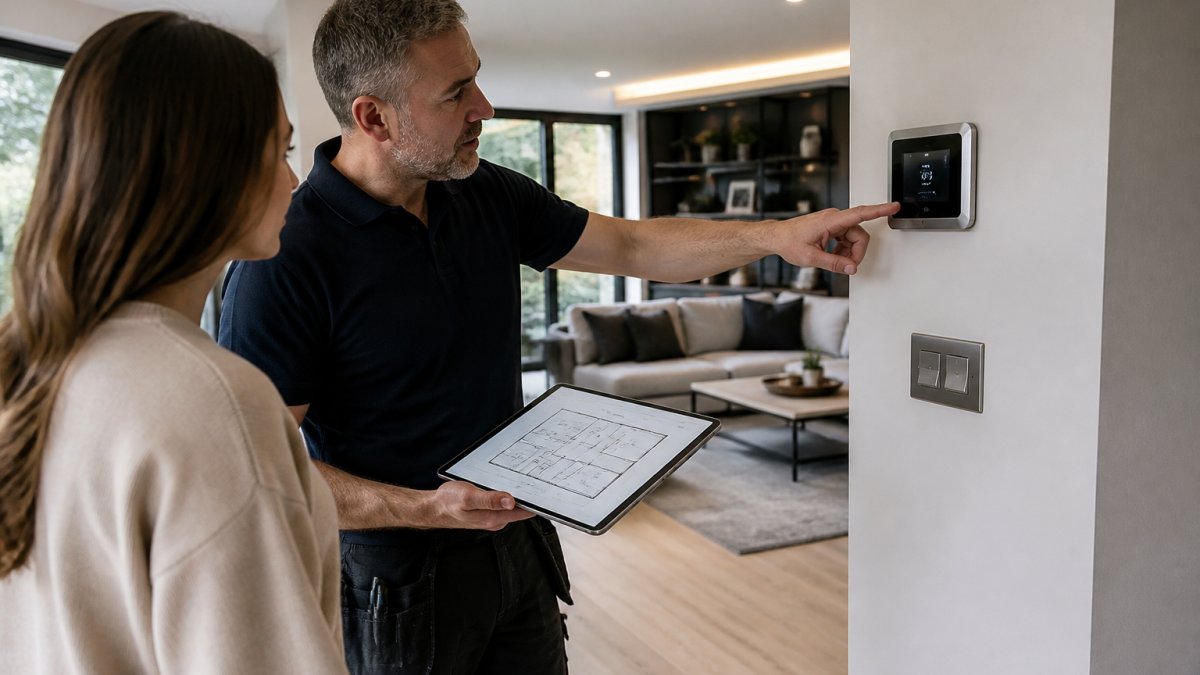
Start with credentials. Ask which professional bodies they belong to, what qualifications their electricians hold, and whether they carry public liability insurance. Any hesitation here is a warning sign.
Then move to the technical side:
- Which brands do you work with, and why those?
- Can the system run on an open protocol, or is it locked to one manufacturer?
- Who programs the system, and can I adjust schedules myself afterwards?
- What happens if a device fails: do you supply replacements, and how fast?
- Will you provide as-built documentation and user training at handover?
Ask for references from similar properties, and follow them up.
Finally, ask what they will not do. Honest installers name their limits. A firm that claims to handle everything without a site survey is guessing.
Your Smart Home Installation Checklist for Vetting and Planning
Use this smart home installation checklist to compare installers on equal terms. Score each one, and let the gaps show.
- Written brief that reflects your stated automation goals
- Site survey completed in person, with photos and notes
- Itemised quote showing equipment, labour and exclusions
- Confirmed list of brands and protocols used
- Evidence of qualifications and insurance
- Two references from comparable properties, contacted
- Clear project timeline, including disruption to the household
- Defined handover: training, manuals and as-built drawings
- Aftercare terms: warranty length, response times, software updates
- Statement on data ownership and what happens if you change installer
The data ownership point deserves attention. Ask who holds the account for each connected device and app. If the installer registers everything under their own business account, you may lose control when the relationship ends. Insist that accounts sit with you, the property owner.
Home Automation Installation Cost: What Drives the Quote
Home automation installation cost depends on scope, property age and how much wiring is needed, not on a single headline figure. Any installer who quotes a flat price over the phone is guessing.
Several factors push the number up or down:
- Property size and layout. More rooms mean more devices, more cable and more programming time.
- Existing wiring. Homes needing new circuits or neutral wires cost more than those already prepared.
- System complexity. Zoned heating control and integrated security take longer to commission than lighting alone.
- Equipment choice. Wired systems generally cost more upfront but need less maintenance than wireless ones.
- Integration work. Tying solar, battery storage or a heat pump into the controls adds design time.
How to compare quotes like for like
The number at the bottom of a quote tells you very little on its own. What matters is whether two quotes cover the same work. Ask every installer to break their price into the same five lines so you can compare them side by side:
- Equipment. Itemised by room, with model numbers and quantities. A quote that says "lighting package" hides whether you are getting two dimmers or twenty.
- Labour. Stated as days or hours, with the hourly or day rate shown. This is where a cheap headline price often hides a larger labour line.
- Programming and commissioning. Configuration of scenes, schedules, integrations and testing. Many quotes exclude this and add it later as a variation.
- Making good and decoration. Chasing walls, filling, and reinstating finishes after cable runs. Ask explicitly whether this is included.
- Aftercare and support. Warranty period, response times and whether software updates are covered.
Exclusions to look for
Read the exclusions page as carefully as the price page. Common lines that grow into variations include:
- "Cabling extra" or "cable runs priced on site"
- "Programming not included" or "app setup by others"
- "Making good not included"
- "Out-of-hours access by arrangement"
- "Builder's work by others"
If a quote is silent on a line, treat it as excluded until the installer confirms otherwise in writing. A slightly higher quote with fewer exclusions is usually the cheaper project.
A worked example of a quote structure
A typical itemised quote for a whole-house system might show equipment as the largest single line, labour and commissioning as a substantial second block, and aftercare as a smaller annual or one-off figure. The exact proportions vary with property size and system complexity, so ask each installer to explain their split rather than assuming one ratio applies to your home. The point is not the percentage, it is that every installer uses the same five-line structure, so the comparison is honest.
For current pricing on smart home automation and electrical work, contact BVI Building Services & Controls Ltd for a quote based on your property.
DIY vs Professional Smart Home Installation
DIY vs professional smart home installation comes down to scope, risk and what the law requires. A few smart plugs and a video doorbell are genuinely DIY-friendly. Whole-house lighting, heating and security integration are not.
Where DIY works
DIY is a sensible choice when all of the following are true:
- The devices are wireless and plug into existing sockets.
- Setup is guided by the manufacturer's app and nothing touches fixed wiring.
- The device does not control heating, security or anything that must keep running in a power or internet outage.
- You are comfortable managing accounts, updates and passwords yourself.
Where DIY falls short
DIY becomes risky when the work involves fixed wiring, new circuits, or controls that other people in the household depend on. The specific issues are:
- Compliance. Fixed electrical work in a dwelling must meet the Wiring Regulations (BS 7671), and notifiable work must be certified. A qualified electrician signs it off; a DIY install that bypasses this can invalidate home insurance and complicate a future sale.
- Integration. Devices from different makers often need a hub or controller to talk to each other. Getting that working reliably is a design and programming task, not a plug-in one.
- Commissioning and testing. Sensors need calibrating, schedules need tuning, and faults need to surface before handover, not three weeks later when the heating misbehaves.
- Aftercare. A professional gives you a named contact, warranty cover and support when something fails. A DIY system leaves you as the support desk.
A decision rule
Use this rule of thumb:
- Plug-in, single-room, app-guided: DIY is reasonable.
- Anything involving fixed wiring, heating control, security, or whole-house scenes: use a professional.
- Mixed projects: a hybrid approach works well. Install the simple devices yourself and bring in a professional for wiring, heating control and security. That keeps the budget sensible without cutting corners on safety.
Whichever route you choose, keep the manual controls working. A wall switch that still operates the light when the app or internet is down is not a luxury, it is the difference between a usable home and a frustrating one.
Protect Yourself: Contracts, Insurance, and Avoiding Lock-In
The contract is where good projects are protected and bad ones go wrong. Read it before you sign, not after the first invoice.
Check that it covers:
- A clear scope matching the agreed brief
- Payment stages tied to milestones, not dates
- Warranty terms for equipment and labour, stated separately
- Insurance details, including public liability cover
- A process for variations, with costs agreed in writing first
- What happens if the project runs late
Vendor lock-in is the quieter risk. If the system uses a closed protocol, only the original installer can service it, and you pay whatever they ask.
Data ownership belongs in the contract too. Confirm that device accounts, app logins and any cloud subscriptions are registered to you, and that the installer will hand over credentials at completion.
Choosing a home automation installer is really a test of coordination.
Frequently Asked Questions
What should I ask a home automation installer before hiring them?
Ask about their qualifications, relevant accreditations, public liability insurance, and warranty terms. Request a site survey and a written scope that lists every device, labour hour, and exclusion. Ask how they handle software updates, technical support, and aftercare. Also confirm whether they will provide a full handover with user training and documentation, and whether the system can be expanded later without replacing core equipment. Get at least two references from similar properties.
How do I compare home automation installation quotes?
Compare quotes line by line, not just the total. Check that each quote covers the same equipment models, cable runs, programming time, commissioning, and training. Look for exclusions such as making good walls after wiring, network upgrades, or out-of-hours work. Ask each installer to break down labour and materials separately. A lower headline figure often omits integration work or aftercare, which can add cost later. Request a fixed price with a clear variation process.
Should I choose a professional smart home installer or DIY?
DIY suits simple, single-room setups such as smart plugs, bulbs, or a video doorbell where you are comfortable with the app and basic wiring. Professional installation is safer and more reliable for multi-room systems, heating control, security integration, and anything involving mains wiring or building regulations. A professional installer also handles system design, commissioning, and testing, and provides warranties and aftercare that DIY kits do not. For high-value properties or integrated systems, professional installation usually delivers better long-term value.
What support should a home automation installer provide after installation?
After installation, you should receive a handover pack with device documentation, network details, and login credentials you own. Ask for user training on the control interface, mobile app, and voice control. Confirm the warranty period for labour and equipment, and how software updates are handled. Check whether technical support is included and for how long, and whether remote diagnostics are available. A good installer also offers a maintenance plan and a clear process for future expansion or changes.